

Why a Folder Full of PDFs Isn’t a Real Records System
I hear it all the time: “We scanned everything to PDF and saved it on the server, so we’re covered.” I understand why that feels like a win. Still, a PDF sitting in a network folder is just a digital copy of a paper file. It doesn’t protect your records, track them, or help you find them.
What the Records Experts Say
I want to be upfront about something. The National Archives and Records Administration (NARA) doesn’t say PDFs are bad. In fact, NARA lists PDF/A, a special archive version of PDF, as a preferred format for permanent records. So the format isn’t the main problem. Where and how you store the file is.
NARA’s Bulletin 2012-02 covers shared network drives. It says agencies must stop unauthorized people from accessing, changing, or deleting records. It also calls for audit trails that track how records are used. It also suggests a risk analysis to decide whether a shared drive can provide a strong enough audit trail.
The Minnesota Historical Society’s State Archives points in a similar direction. Its Electronic Records Management Guidelines stress the importance of a file naming policy. That tells me something: when you depend on folders, you depend on people to name and file every document correctly, every time.
Finding a Missing PDF Is Painfully Slow
Have you ever tried to find a PDF when you don’t know its name or its folder? You open a folder, click a file, and wait for it to load. It’s the wrong one, so you close it and open the next. Then you repeat that file by file and folder by folder. Honestly, I think hunting for a missing document in a filing cabinet is often faster.
Now think about your staff doing this on a busy day, with a client waiting on the phone. Every minute spent digging is a minute not spent helping someone. Over a year, those minutes add up to a lot of lost time.
One Wrong Click Can Make a File Disappear
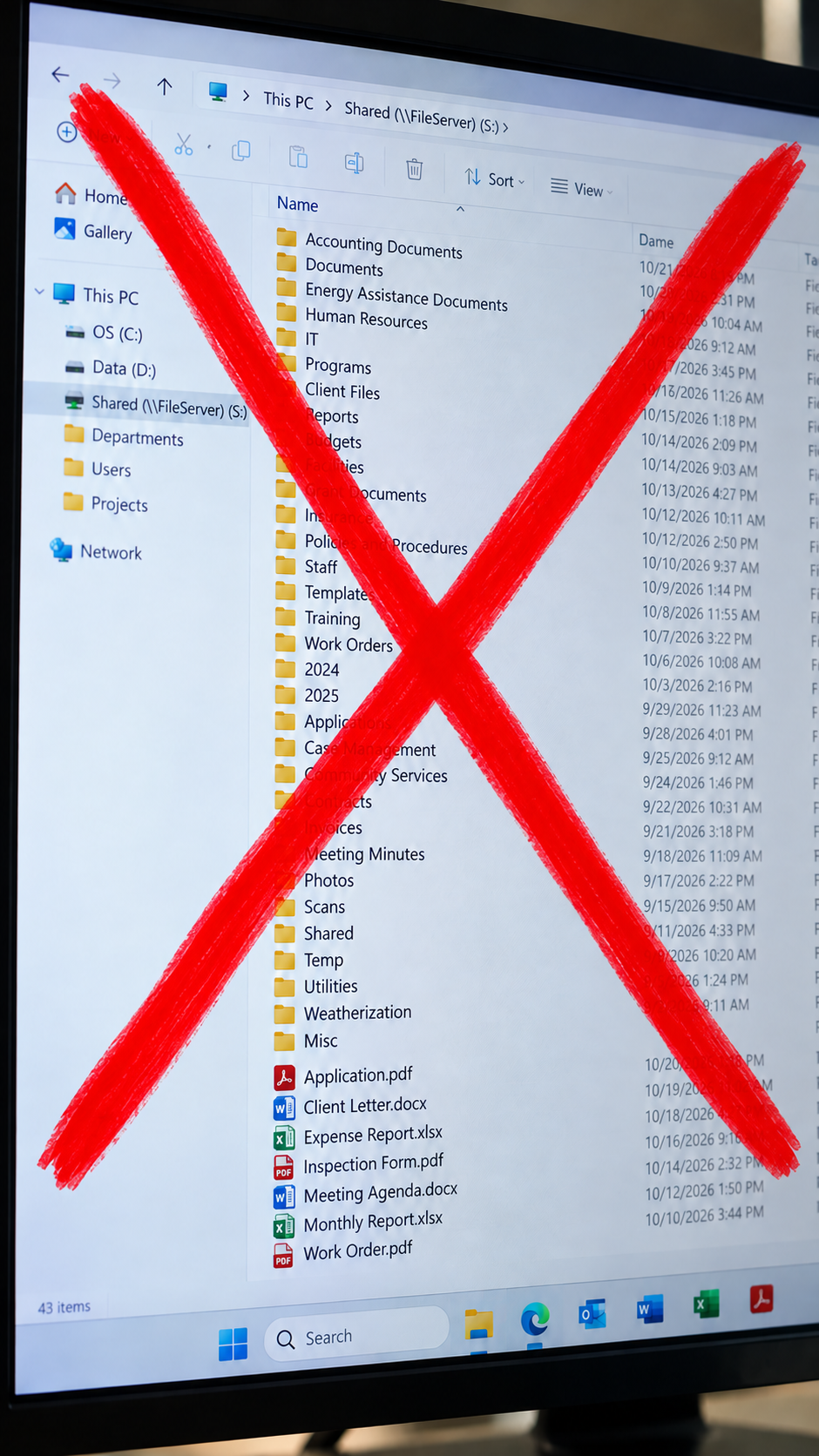
Network drives make it surprisingly easy to cause a problem by accident. A staff member drags a file into the wrong folder, and it’s gone from where everyone expects to find it. Another person hits delete on a file they thought was a duplicate. Nobody notices until an auditor or a client asks for that record weeks later.
Worse, the drive often gives you no clue what happened. You can’t see who moved the file, when they moved it, or where it went. You’re left guessing, and guessing isn’t a good plan when the record supports a funding decision or a client’s benefits.
Network Drives Have Weak Access Control
Network drives do offer permissions, but they’re hard to manage well. On a typical Windows file server, two separate sets of rules (share permissions and NTFS permissions) work together, and the stricter one wins. Because that’s confusing, mistakes happen.
One research study of corporate file sharing, which I’d recommend verifying before you quote it, found that people rarely adjusted permissions themselves. When someone hit an access block, they often granted broad access just to move on, and nobody took it back later. The same research found that former employees sometimes kept access for years.
An enterprise content management (ECM) system like Laserfiche handles this differently. You set rights by role, and you can control who sees, edits, or deletes each folder or document. That way, a caseworker sees the files they need and nothing more. Your records also stay safer if one account gets compromised.
The Audit Log: The Missing Piece
An audit log is a running history of who did what, and when. It records who opened a document, who changed it, who deleted it, and who moved it. Think of it like a security camera for your records.
This matters for several reasons. First, auditors and funders want proof that your records are complete and unaltered, and a log gives you that proof. Second, if a file goes missing, the log tells you exactly what happened instead of leaving you to guess. Third, client files often hold private information, so you need to know who looked at them.
Standard network drives can keep some activity records. However, those logs often stay switched off, scattered, or hard to read. By contrast, an ECM system builds the audit trail into everyday use, so you don’t have to set up anything extra.
Other Risks Hiding Inside PDFs
PDFs also carry a few technical risks that surprise people. A PDF can contain scripts that run when someone opens the file, and attackers have used this to steal data. Ransomware can also scan network drives and encrypt every file it can reach. If your PDFs sit on a shared drive with loose permissions, one bad click can affect thousands of them.
Standard PDFs can also age poorly. A file that depends on a font your computer doesn’t have may look different years from now. PDF/A solves many of those problems, which is why archivists favor it.
A Better Way to Store Your Documents
I’m not telling you to stop using PDFs. Instead, I’m suggesting you stop treating a folder as your records system. With Laserfiche, you can keep your PDFs (including the archive-friendly PDF/A version) and add what a folder can’t give you: searchable metadata, full-text search, role-based access, and a built-in audit log. But my suggestion is that instead of PDF format, you use TIFF file format!
If your agency is ready to move past the “pile on the server,” I’d love to talk it through with you. You can visit hemingwaysolutions.net or email me at [email protected].
For You Who Want More Technical Info:
Beyond the Static File: Why PDF Formats and Network Shared Drives Fail Modern Document Preservation Standards
For decades, enterprise information management relied on a seemingly straightforward formula for digital archiving: convert official records into Portable Document Format (PDF) files and store them within structured network shared drives (such as Server Message Block or Network File System file shares). This model was built on two foundational assumptions: first, that a PDF is a digital analogue to static paper—inert, immutable, and safe; second, that the network perimeter boundary is sufficient to protect stored assets from unauthorized access, tampering, or exfiltration.
Modern security research and archival science demonstrate that both assumptions are critically flawed. Far from being a simple digital document format, the PDF specification represents a complex, dynamic container capable of executing active scripts, initiating network connections, abusing client-side reader application programming interfaces (APIs), and masking structural alterations from digital signatures. Simultaneously, storing these files on traditional network shares exposes organizations to granular access control failures, permission sprawl, administrative oversight blind spots, and catastrophic lateral movement during ransomware attacks.
This report delivers a technical examination of why standard PDF formats and network shared drives fail as a long-term, secure document storage solution, evaluating the active exploitation vectors inherent in PDF parsing, the technical hurdles of long-term digital preservation (including the constraints of PDF/A), the systemic access control flaws of network file shares, and the modern Zero Trust paradigms required to replace them.
1. The Illusion of Inertia: Structural Vulnerabilities and Exploitation Vectors in PDF Documents
The widespread trust placed in PDF documents stems from a fundamental misunderstanding of the ISO 32000 specification. Organizations routinely treat PDFs as passive visual files. In reality, the PDF format is a feature-rich, dynamic container that supports active code execution, background network communication, and complex object structures.
Active Content and Executable Directives
The PDF specification includes functional capabilities designed for workflow automation that adversaries routinely weaponize. These active elements allow a PDF file to execute operations the moment it is opened by a user, frequently without displaying prompts or requiring explicit consent:
- Automatic Script Execution (
/OpenActionand/JS): The/OpenActiondictionary specifies commands to be executed automatically upon document opening. When combined with embedded JavaScript streams (/JS), code executes before the user even views the first page. Threat actors utilize this capability to fingerprint client operating systems, evaluate reader software versions, and stage secondary payloads. - Executable Payload Delivery (
/Launch): The/Launchdirective allows a PDF to spawn external applications or execute embedded binary objects, such as Windows executable files, PowerShell scripts, or batch commands. While modern readers may display a warning dialog, social engineering lures frequently trick users into approving execution. - Silent Data Exfiltration (
/SubmitForm): PDF form fields can be configured with/SubmitFormactions that harvest local document data or user entries and transmit them silently to an attacker-controlled HTTP/HTTPS endpoint. - Dynamic Network Redirection (
/URI): Embedded/URIkeys force client applications to resolve external web resources automatically or trigger local credential leakage by attempting connections to remote SMB shares.
Example Structural Object Containing Active JavaScript Execution:

1 0 obj
<<
  /Type /Catalog
  /Pages 2 0 R
  /OpenAction <<
    /S /JavaScript
    /JS 5 0 R
  >>
>>
endobj
As highlighted in cybersecurity analysis from Sherlock Forensics, these native capabilities turn every uninspected PDF into an active endpoint execution risk.
Reader Zero-Day Exploits and Unprivileged API Abuse
Because PDF readers must parse intricate, multi-layered document trees, viewer software represents one of the most targeted application categories in enterprise environments. Zero-day exploits frequently target Adobe Acrobat Reader and third-party viewers, bypassing client security controls.
A prominent case study published by the Cloud Security Alliance involved a sophisticated zero-day campaign targeting energy infrastructure and critical government entities across Russian-language lure documents depicting gas supply disruptions. Rather than relying on traditional memory corruption techniques—such as buffer overflows or use-after-free conditions—the exploit abused legitimate, privileged Acrobat JavaScript APIs exposed within the application runtime environment. Specifically, malicious PDFs utilized built-in APIs such as util.readFileIntoStream and RSS.addFeed to perform automated system fingerprinting, read local file streams, and exfiltrate sensitive endpoint data to remote command-and-control (C2) infrastructure (specifically domain endpoints like ado-read-parser[.]com and specific C2 IP addresses). Network defenders could identify this exfiltration traffic by filtering HTTP/HTTPS requests bearing the distinct Adobe Synchronizer User-Agent string. These attacks required no user interaction beyond opening the file and bypassed standard endpoint memory protections because execution occurred entirely within legitimate application processes.
PDF Parser Confusion and Evasion Attacks
Malware detection systems, anti-virus gateways, and eDiscovery indexers rely on static PDF parsers to inspect uploaded documents. However, the extreme flexibility of the PDF specification, combined with the leniency of commercial PDF readers, creates a massive attack surface known as a PDF Parser Confusion Attack.
Because commercial viewers like Adobe Reader are engineered to display even corrupted or malformed files, they implement forgiving recovery logic. Security research from Syracuse University and Computer Science and Engineering researchers reveals that malware authors deliberately craft “bad PDFs”—documents containing malformed syntax, structural errors, or obfuscated object streams—that cause security parsers to fail while remaining fully readable in commercial viewing software:
- Implementation Bugs: Injecting comments (
%) into document trailers or dictionary objects causes open-source parsing libraries (such as Origami or jsunpack-n) to terminate prematurely or look for non-existent objects, hiding malicious JavaScript streams embedded in valid objects. - Stream Filter Obfuscation: Payload streams encrypted using Security Handlers or wrapped in nested compression filters (such as
/FlateDecode) prevent static regex tools (like PDFiD) or keyword counters (like PDFrate) from inspecting stream contents. - Parser Discrepancies: Security gateways using tools like Poppler or libpdfjs frequently fail to process complex cross-reference (
xref) updates or revision tables, allowing malicious files to pass perimeter inspections unhindered.
Further research published in arXiv on intermediate representation frameworks (PDFObj IR and the Poir parser) demonstrates that parser confusion techniques combined with reverse mimicry—where a malicious payload is injected into a benign, valid root document (such as an IRS tax form)—can reduce detection rates of machine learning classifiers from over 85% to under 8%, enabling malicious files to pass perimeter security gateways effortlessly.
Cryptographic Fragility: Shadow Attacks on Digitally Signed PDFs
Organizations frequently rely on digital signatures to guarantee the authenticity and integrity of critical PDF documents, such as legal contracts, financial agreements, and regulatory filings. However, research presented at the NDSS Symposium revealed a class of vulnerabilities known as Shadow Attacks, which break the integrity guarantees of digitally signed PDFs without invalidating the cryptographic signature.
Unlike legacy signature attacks that rely on malformed file structures, Shadow Attacks exploit standard-compliant PDF features, specifically the Incremental Update mechanism. Incremental Updates allow legitimate additions (such as secondary signatures or form annotations) to be appended to the end of a PDF file without modifying the original signed byte range. Attackers leverage this mechanism across three distinct attack vectors:
| Shadow Attack Variant | Mechanism | Operational Impact |
| Hide | The attacker embeds an overlay object (e.g., an image or opaque form field) that hides underlying text. After the document is signed, an Incremental Update alters the overlay’s object type (e.g., changing an Image to Metadata), causing the viewer to hide the overlay and reveal the hidden text. | Hides malicious terms during signing, revealing them to the victim while the signature status remains perfectly valid. |
| Replace | The attacker embeds font definitions or interactive form elements. After signing, an Incremental Update overwrites the font mapping or form values with modified content. | Alters numerical values (e.g., bank account numbers or dollar amounts) on signed invoices or contracts. |
| Hide-and-Replace | The attacker embeds two complete document variants within the PDF file structure (Catalog or Pages trees). The signer reviews benign Variant A. After signing, the attacker appends an Incremental Update modifying the cross-reference (xref) table to point to Variant B. |
Replaces the entire document text after signature verification, completely altering the contract terms while displaying a valid signature badge. |
Key Takeaway on PDF Signature Integrity: Because PDF viewers consider Incremental Updates standard-compliant, 16 out of 29 major PDF applications (including Adobe Acrobat Reader, Foxit Reader, and Master PDF Editor) were found vulnerable to Shadow Attacks. Automated tools such as PDF-Attacker can generate these exploits automatically, confirming that a “valid” digital signature badge in a client reader does not guarantee that the content displayed to the recipient matches what was originally signed.
2. The Digital Decay: Long-Term Preservation Hurdles and the Limits of PDF/A
Beyond immediate execution threats, the PDF format presents severe challenges for digital preservation repositories tasked with maintaining readable, authentic records over decades.
Structural Fragility of Standard PDF
A standard PDF is optimized for immediate visual display and dynamic flexibility, making it inherently fragile over long preservation horizons:
- Font Dependencies: Standard PDFs can reference system fonts rather than embedding full font binaries. If the target operating system lacks the exact font 20 years later, the rendering engine substitutes an alternative font, distorting visual layout, character spacing, and textual alignment. In legal or regulatory proceedings, this layout distortion can compromise the evidentiary value of the document.
- External Resource Dependencies: Standard PDFs allow embedded hyperlinks, external video streams, and dynamic calls to external databases. Over time, external web links break, media codecs become obsolete, and remote servers shut down, leaving the document incomplete.
- Device-Dependent Color Spaces: Standard PDFs often utilize uncalibrated RGB or CMYK color profiles, leading to inconsistent visual reproduction across evolving monitor and printing technologies.
The PDF/A Compromise and Its Technical Constraints
To address preservation risks, the International Organization for Standardization (ISO) established PDF/A (ISO 19005), a specialized subset designed for long-term archiving. PDF/A enforces strict self-containment rules: mandatory font embedding, device-independent color profiles (ICC), standardized XMP metadata, and the total prohibition of JavaScript, external references, executable code, and audio/video content.
While PDF/A resolves many visual rendering risks, archival research from the Digital Preservation Coalition and Docuflair highlights critical limitations and trade-offs that make PDF/A alone an incomplete solution:
- The Encryption Paradox: PDF/A strictly prohibits file-level encryption and password protection to ensure that archived documents remain accessible in the future without relying on lost passwords or obsolete cryptographic ciphers. However, for organizations storing highly confidential records (such as medical data under HIPAA or legal files under GDPR), storing unencrypted PDF/A files creates an immediate confidentiality exposure unless robust repository-level encryption is enforced.
- File Size Inflation: Mandating the complete embedding of all font programs and high-resolution ICC color profiles significantly increases file sizes—frequently expanding files by 20% to 50% or more. Across millions of enterprise records, this creates substantial storage footprint overhead.
- Conversion Failures and Loss of Content: Converting complex, legacy, or slightly corrupted PDFs to PDF/A-1b or PDF/A-2b is frequently lossy or impossible. Specialized tools like Adobe Distiller or Ghostscript cannot automatically convert non-compliant files to Level ‘a’ (accessible) standards without manual intervention. If an original PDF contains dynamic form fields or active scripts, converting to PDF/A strips these elements or flattens interactive fields into static visual layers.
- Accessibility and Structure Deficits (Level ‘b’ vs. Level ‘a’): Most enterprise conversion workflows produce PDF/A Level ‘b’ (basic) files, which guarantee only visual reproducibility. Level ‘b’ files lack logical structural tags, reading orders, and semantic headers required by assistive technologies (PDF/UA) or automated text extraction tools.
PDF/A Variants and Archival Conformance Matrix:

PDF/A-1 (ISO 19005-1:2005) ──► Based on PDF 1.4; strict baseline; no transparency or JPEG2000.
PDF/A-2 (ISO 19005-2:2011) ──► Based on PDF 1.7; supports JPEG2000, layers, and embedded PDF/A files.
PDF/A-3 (ISO 19005-3:2012) ──► Allows arbitrary file attachments (e.g., XML, CSV, CAD) inside the container.
PDF/A-4 (ISO 19005-4:2020) ──► Based on PDF 2.0; optimized for technical and engineering documentation.

Conformance Levels:
  └─ Level 'b' (Basic): Guarantees visual reproduction only.
  └─ Level 'u' (Unicode): Guarantees visual reproduction + text mapping to Unicode.
  └─ Level 'a' (Accessible): Guarantees visual reproduction + full structural tagging (reading order, headings).
Regulatory frameworks—such as Germany’s GoBD for tax-compliant invoicing (Section 147 AO / Section 14b UStG) or the European Central Bank guidelines—increasingly adopt PDF/A-2b or PDF/A-3b (for hybrid e-invoicing like ZUGFeRD). However, institutional archives like the French National Library and the US Library of Congress recognize that PDF/A remains a container for visual rendering rather than raw data processing.
Loss of Computable Semantics and Metadata Obsolescence
A primary critique articulated in digital preservation research from the Zuse Institute Berlin and the Archaeology Data Service is that PDF flattening treats documents purely as visual facsimiles (“digital paper”) rather than structured data:
- Destruction of Computable Data: When a spreadsheet, relational database, or CAD model is converted to PDF, formulas, dataset relationships, and numerical precision are lost forever. Re-extracting tabular data from a PDF requires complex structural parsing, which frequently misinterprets multi-column layouts, footnotes, and page break boundaries.
- OCR Uncertainty: For scanned paper records converted to PDF with an embedded Optical Character Recognition (OCR) text layer, the underlying character confidence metrics are rarely retained within the PDF stream. Subsequent full-text searches cannot evaluate whether search hits derive from high-confidence text or corrupted OCR output.
3. The Perimeter Fallacy: Security and Access Control Failures of Network Shared Drives
Even if a document format were perfectly secure, storing sensitive files on traditional network shared drives (such as Windows SMB shares or Unix NFS mounts) introduces severe governance and access management vulnerabilities.
Dual-Permission Friction and ACL Complexity
On Windows-based file servers, access to shared documents is governed by two independent layers of security permissions: Share Permissions and NTFS (New Technology File System) Permissions. Managing both layers simultaneously represents a primary source of administrative error.
Access Evaluation Logic for Combined Permissions:

[ Client Access Request via Network ]
                │
                ▼
   ┌──────────────────────────┐
   │ Share Permission Evaluation │ ──► Options: Read, Change, Full Control
   └──────────────────────────┘
                │
                ▼
   ┌──────────────────────────┐
   │  NTFS Permission Evaluation │ ──► Options: Read, Write, List, Modify, etc.
   └──────────────────────────┘
                │
                ▼
   ┌──────────────────────────────────────────────────────────┐
   │ Effective Permission = MOST RESTRICTIVE Combination     │
   └──────────────────────────────────────────────────────────┘
Share permissions offer only three coarse access levels (Read, Change, Full Control) and apply exclusively to network traffic. NTFS permissions provide six granular permission levels (including Read & Execute, List Folder Contents, and Write) that apply both locally and over the network. When an enterprise file server hosts nested shares—where a subfolder is shared directly while also being accessible through a parent folder share—the resulting access rights depend entirely on the path navigated by the user. Administrators attempting to restrict access on a parent directory frequently discover that subfolder shares bypass those restrictions entirely. Microsoft access control best practices explicitly recommend utilizing the AGDLP principle (Accounts, Global groups, Domain Local groups, Permissions) and setting Share Permissions wide (e.g., “Change” for domain users) while relying strictly on NTFS permissions to avoid conflicting evaluations.
Administrative Drift and Discretionary Access Control (DAC) Flaws
Traditional file system security relies on Discretionary Access Control (DAC), where the owner of a file or folder possesses the authority to grant or modify access rights for other users. Empirical cyber-ethnographic research conducted at PARC and presented at the Symposium on Usable Privacy and Security (SOUPS) evaluating corporate file sharing over a 10-year period reveals systemic failures inherent in DAC models:
- Low Explicit Management: Out of 49,672 documents and folders analyzed, users explicitly modified access control settings on only 5.2% of objects (15% of folders and 3.5% of documents). The remaining 95% relied entirely on automated folder inheritance.
- Inheritance Failure: When users modify permissions on a parent collection folder, file system interfaces prompt them to apply changes recursively to child subfolders. Research identified hundreds of cases (e.g., 326 instances out of 2,608 changed objects) where folder permissions failed to propagate properly, leaving child documents with legacy ACLs that contradicted parent folder policies.
- Permission Over-Granting: When users encounter access blocks during collaborative work, they routinely fix the problem by granting broad read/write permissions to large groups (such as “Everyone” or “All Authorized Users”). These temporary access grants are almost never revoked.
- “Ghosts in the Machine”: File share ACLs accumulate orphaned security identifiers (SIDs), inactive user accounts, and obsolete departmental groups. Long-term studies revealed instances where user accounts belonging to deceased employees or terminated contractors retained active read/write permissions on corporate file shares for years.
- Group Nesting and Duplicate Ambiguity: Allowing users to create and nest access groups results in circular group dependencies and ambiguous group names (e.g., multiple groups representing senior management with divergent memberships), creating severe risk of unintended data exposure.
The Flat-Network Threat Model: Ransomware and Lateral Movement
Traditional network shares operate under a Perimeter Security Model: once a user or device successfully authenticates to the internal domain via VPN or local network connection, they are granted broad access to internal network segments.
As detailed in security studies from IJAIDR on archiving platforms, this implicit trust inside the perimeter represents the primary attack vector for modern ransomware operations and Advanced Persistent Threats (APTs):
- Unrestricted Lateral Movement: Flat network architectures allow attackers who compromise a single endpoint (via a phishing PDF or stolen credential) to scan internal IP ranges, discover unsegmented SMB/NFS file shares, enumerate Active Directory permissions, and access repositories far beyond the user’s operational requirement.
- Ransomware Blast Radius: Automated ransomware strains actively scan mounted network drives and UNC paths (
\\server\share). Because share permissions are frequently over-privileged, ransomware can encrypt hundreds of thousands of corporate archival PDFs across shared volumes in minutes. - Silent Data Exfiltration: Traditional file servers lack real-time behavioral monitoring or rate-limiting capabilities. Incident case studies at financial institutions reveal scenarios where unauthorized reviewers exported over 30,000 sensitive documents over six months, staging them in unmonitored network folders without triggering security alerts or SIEM events.
4. Modern Paradigms for Secure, Long-Term Information Governance
Mitigating the combined risks of PDF active content vulnerabilities and network share permission sprawl requires replacing legacy file-based architectures with modern, data-centric information governance frameworks.
Transitioning to Zero Trust Architecture (ZTA) and ABAC
Zero Trust Architecture replaces implicit network location trust with continuous verification based on the core principle: “Never trust, always verify.”
In a Zero Trust document repository environment, access decisions are shifted from static file system ACLs to dynamic Attribute-Based Access Control (ABAC) frameworks. ABAC evaluates real-time access requests against multi-dimensional contextual policy engines:
Zero Trust Evaluation Pipeline:

[ User Request ] ──► [ Context Evaluation Engine ] ──► [ Access Decision ]
                            │
                            ├── User Attributes (Role, Clearances, Department)
                            ├── Resource Attributes (Classification, Retention State)
                            ├── Environmental Attributes (Location, Time, Device Health)
                            └── Threat Telemetry (Risk Score, EDR Status)
As demonstrated in research on the LLMAC framework published on arXiv, traditional static access models (RBAC, DAC) perform poorly under dynamic workflow requirements, whereas context-aware frameworks evaluate user credentials, device health, location, and real-time risk continuously, preventing privilege escalation and lateral movement.
Server-Side Rendering and Zero-Footprint Document Viewing
To eliminate client-side execution risks (such as reader zero-days, active JavaScript execution, and local file downloading), modern Enterprise Content Management (ECM) systems employ Server-Side Document Rendering (utilizing platforms such as Doconut).
Client-Side Downloading vs. Server-Side Rendering Architecture:

LEGACY FILE SHARE MODEL (High Risk):
[ Secure Storage ] ──► [ Transmit Raw PDF Binary ] ──► [ Client Browser / Local Reader ]
                                                      └─ Executes Local JS
                                                      └─ Stores File in Local Cache
                                                      └─ Vulnerable to Exploits

SERVER-SIDE RENDERING MODEL (Zero Footprint):
[ Secure Vault ] ──► [ Server Rendering Engine ] ──► [ Rasterized Tile / SVG Stream ] ──► [ Client Web UI ]
 (Enforces ABAC)     (Strips Active Content)        (Applies Dynamic Watermark)        (No Local File Saved)
By decoupling file viewing from file delivery, server-side rendering delivers robust security guarantees:
- Zero Client-Side File Transfer: The original PDF binary never leaves the secure server or private cloud vault. The client receives only a stream of sanitized visual tiles (rasterized images or clean vectors).
- Neutralization of Active Content: Embedded JavaScript,
/Launchdirectives, and malicious/OpenActionstreams are neutralized on the server during pre-rendering inspection, preventing endpoint execution. - Dynamic Ephemeral Watermarking: Server-side engines inject real-time user-specific watermarks (displaying user ID, IP address, and timestamp) directly onto rendered image streams, deterring screen captures and physical photography.
- Ephemeral Signed Access Tokens: Document view sessions are governed by time-bounded, single-use cryptographic tokens tied strictly to the requesting user’s validated IP address and device session.
Multi-Representation Digital Preservation Strategies
To satisfy long-term archival requirements without inheriting PDF structural limitations, preservation authorities (such as the Digital Preservation Coalition and the National Archives) advocate for Multi-Representation Preservation Strategies:
- Dual-Container Storage (PDF/A-3 + Source Sidecar): When PDF/A is required for visual distribution, organizations utilize PDF/A-3 (ISO 19005-3), which allows native source files (such as XML datasets, CSV tables, or CAD files) to be embedded directly within the archival PDF container as embedded attachments.
- Structured XML Preservation Standards: For text-centric research, medical, or legal documents, organizations adopt structured markup standards like JATS (Journal Article Tag Suite, ANSI/NISO Z39.96) or DocBook. Structured XML captures 100% of document semantic structure, headings, and data relationships in plain-text format, making it completely immune to binary executable exploits, font rendering errors, and reader software obsolescence.
- Facsimile + ALTO-XML/hOCR: For digitized paper archives, master uncompressed TIFF images are preserved alongside OCR output stored in standardized ALTO-XML (Analyzed Layout and Text Object) format. This keeps visual raster facsimiles separate from text layout streams and retains OCR confidence scores for accurate long-term search indexing.
5. Strategic Implementation Matrix and Decision Framework
To assist enterprise security officers, system architects, and records managers in evaluating their current document storage posture, the following matrix contrasts legacy network PDF storage against modern Zero-Trust document preservation frameworks:
| Feature / Dimension | Legacy Model: Network Shared Drives + Standard PDF | Modern Model: Zero-Trust ECM + Multi-Representation Storage |
| Trust Boundary | Implicit trust based on internal network IP / VPN connection. | No implicit trust; continuous evaluation of identity, device, and context per transaction. |
| Document Delivery | Full binary file downloaded to client device endpoint. | Server-side rendering; sanitized visual stream delivered via browser UI. |
| Execution Risk | Vulnerable to /OpenAction, /JS, /Launch exploits, and reader zero-days. |
Active content neutralized on server; zero client execution surface. |
| Signature Integrity | Vulnerable to Shadow Attacks (Hide, Replace, Hide-and-Replace) via Incremental Updates. | Server-side signature validation + full byte-range audit logging and modification blocking. |
| Access Control Model | Discretionary Access Control (DAC) via static Share + NTFS permissions; inheritance failures. | Attribute-Based Access Control (ABAC); dynamically enforced policy-as-code. |
| Lateral Movement Risk | High; flat SMB/NFS shares exposed to network-wide ransomware propagation. | Microsegmented storage; Zero Trust Network Access (ZTNA) limits visibility to explicit apps. |
| Long-Term Rendering | Font substitution errors, broken web links, missing codecs over time. | Self-contained PDF/A-2b/3b or structured XML (JATS) ensuring deterministic reproduction. |
| Data Preservation | Loss of computable formulas, tabular metadata, and OCR confidence scores. | Structured XML sidecars + raw dataset encapsulation preserving full semantic utility. |
| Audit & Governance | Fragmented file server event logs; lack of centralized export and view tracking. | Centralized, tamper-evident audit logs integrated with SIEM/SOAR platforms. |
Enterprise Migration Roadmap
For organizations transitioning away from legacy network PDF storage, implementation should follow a phased risk-reduction roadmap:
- Phase 1: Exposure Mitigation & Active Content Disabling
- Enforce Group Policy objects (GPO) across endpoints to disable JavaScript execution in Acrobat Reader and block
/Launchapplication directives. - Configure email and web gateways to sandbox inbound PDFs and perform behavioral inspection for obfuscated API calls (
util.readFileIntoStream).
- Enforce Group Policy objects (GPO) across endpoints to disable JavaScript execution in Acrobat Reader and block
- Phase 2: Identity Hardening & Network Microsegmentation
- Eliminate flat SMB file shares hosting sensitive archives; place storage repositories behind microsegmented network boundaries.
- Enforce Multi-Factor Authentication (MFA) and conditional access policies for all document repository access, terminating legacy SMBv1 protocols.
- Phase 3: ECM Integration & Server-Side Viewing Deployment
- Migrate unstructured network shared files into a centralized Enterprise Content Management (ECM) platform enforcing Role-Based and Attribute-Based Access Control (ABAC).
- Deploy server-side rendering viewers for web portals, replacing direct file download links with zero-footprint, watermarked viewing streams.
- Phase 4: Digital Preservation Normalization
- Establish automated ingest pipelines that validate incoming PDFs using open-source validators (such as veraPDF).
- Normalize archival holdings to PDF/A-2b or PDF/A-3b standards, encapsulating structured XML data sidecars for permanent semantic preservation.
- Cloud Security Alliance (CSA) (2026). Adobe Reader Zero-Day: Four Months Targeting Energy Infrastructure. CSA AI Safety Initiative. Details API abuse vectors (util.readFileIntoStream and RSS.addFeed) used for unpatched zero-day system reconnaissance and exfiltration.
- Lakshmanan, R. (2026). Adobe Reader Zero-Day Exploited via Malicious PDFs Since December 2025. The Hacker News. Analyzes in-the-wild PDF exploitation (CVE-2026-34621) executing privileged Acrobat APIs.
- Carmony, C., Zhang, M., Hu, X., Bhaskar, A. V., & Yin, H. (2016). Extract Me If You Can: Abusing PDF Parsers in Malware Detectors. Proceedings of the Network and Distributed System Security Symposium (NDSS). Defines PDF parser confusion attacks that exploit structural leniency in PDF viewers to evade static detection.
- Liu, S., et al. (2025). Analyzing PDFs like Binaries: Adversarially Robust PDF Malware Analysis via Intermediate Representation and Language Model. ACM Conference on Computer and Communications Security (CCS). Examines malformed PDF objects, indirect stream references, and feature instability in PDF malware classifiers.
- Chen, Y., Wang, S., She, D., & Jana, S. (2020). On Training Robust PDF Malware Classifiers. USENIX Security Symposium. Analyzes subtree deletion and insertion attacks used to manipulate PDF object trees and bypass machine learning scanners.
- Sherlock Forensics (2026). Why Every PDF You Open Is a Security Risk. Security Research Series. Outlines risks embedded in standard PDF specifications, including /OpenAction, /Launch, /SubmitForm, and /URI directives.
- Mainka, C., Mladenov, V., & Rohlmann, S. (2021). Shadow Attacks: Hiding and Replacing Content in Signed PDFs. NDSS Symposium. Demonstrates how standard-compliant Incremental Updates allow attackers to hide, replace, or alter signed PDF content without invalidating digital signatures.
- Klindt, M. (2017). PDF/A Considered Harmful for Digital Preservation. Proceedings of the International Conference on Digital Preservation (iPRES). Critiques PDF/A limitations, including text extraction failures, lack of semantic structure, and loss of computational data.
- Todd, M. (2009). File Formats for Preservation. Digital Preservation Coalition (DPC) Technology Watch Report 09-02, The National Archives (UK). Evaluates selection criteria for long-term file formats, transparency, and technological dependencies.
- Administrative Conference of the United States (ACUS). Federal Agency Electronic Records Management and Archives. ACUS.gov. Addresses technological obsolescence and exchange standards for long-term public record access.
- Apryse / Docuflair / DocInspector / MakeitPDF (2020–2025). Archival PDF/A Specifications and Technical Standards. Details ISO requirements for PDF/A (1b, 2b, 3b), mandatory font embedding, device-independent color spaces, and prohibitions on active JavaScript or external references.
- Smetters, D. K., & Good, N. (2006). How Users Use Access Control. Palo Alto Research Center (PARC). Empirical study on file-sharing behavior, access control list (ACL) complexity, and human error in discretionary permission models.
- tenfold Software (2023). NTFS Permissions vs. Share Permissions – What’s the Difference?. Analyzes effective permission conflicts between network share limits and local NTFS security ACLs.
- Cyber Advisors (2026). Zero Trust vs. Perimeter Security: Why the Old Model is Dead. Contrasts implicit perimeter trust with transaction-level, context-aware Zero Trust evaluation.
- Cyberhaven (2026). What Is Attribute-Based Access Control (ABAC)?. Defines dynamic ABAC evaluation across Subject, Resource, Action, and Environment attributes to prevent permission sprawl.
- Zisad, S. N., & Hasan, R. (2026). LLMAC: A Global and Explainable Access Control Framework with Large Language Model. arXiv. Compares limitations of static RBAC, DAC, and ABAC models in managing dynamic enterprise document workflows.
- IJAIDR (2025). Security Testing of Enterprise Vault & eDiscovery Solutions. Highlights access control flaws, index inference risks, and hardening requirements for centralized document archives.